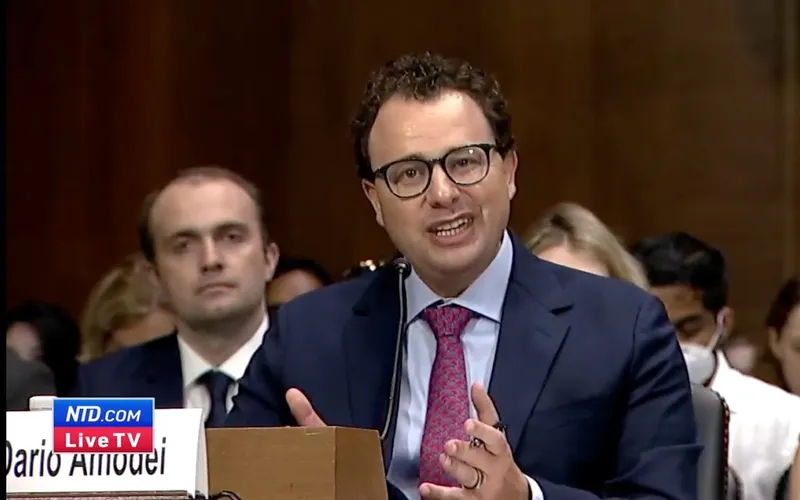
A statement from Anthropic CEO, Dario Amodei, on our discussions with the Department of War. https://t.co/rM77LJejuk
A statement from Anthropic CEO, Dario Amodei, on our discussions with the Department of War.https://t.co/rM77LJejuk
— Anthropic (@AnthropicAI) February 26, 2026
Well, well, well. Anthropic just dropped a statement about chatting with the Department of War, and the internet collectively did a spit-take. When your AI safety company suddenly starts discussing military applications, people get spicy—and rightfully so. The engagement numbers (55K+ points, nearly 10K comments) tell you this hit a nerve. Everyone wants to know: are we building helpful AI assistants or are we building Skynet's pen pals?
The optics here are delicious in the worst way possible. Dario Amodei and crew built their brand on being the "safety-conscious" alternative to the move-fast-and-break-things crowd. So naturally, when your first major headline involves the Department of War, people start connecting dots that probably shouldn't be connected—at least not yet. The comments section is probably a buffet of conspiracy theories, genuine concerns, and jokes about robot soldiers. We're living in the timeline where "we're just having responsible conversations" somehow sounds like famous last words.
Look, having government dialogue is probably necessary and potentially fine. But announcing it via a formal statement? Chef's kiss of PR own-goals. Should've led with "we're helping make sure AI doesn't get weaponized in bad ways" instead of just dropping a vague press release that screams "uh oh." The real question isn't whether they're talking to DoD—it's whether they're prepared for the avalanche of skepticism that comes with it. Rating: 6/10 for transparency attempts, 2/10 for execution.
We’ve identified industrial-scale distillation attacks on our models by DeepSeek, Moonshot AI, and MiniMax. These labs ...
We’ve identified industrial-scale distillation attacks on our models by DeepSeek, Moonshot AI, and MiniMax.
— Anthropic (@AnthropicAI) February 23, 2026
These labs created over 24,000 fraudulent accounts and generated over 16 million exchanges with Claude, extracting its capabilities to train and improve their own models.
Oh, so the AI model copying arms race just got real spicy. Anthropic is basically saying "yeah, our competitors are straight-up cloning our homework" – and they're not even being subtle about naming names. DeepSeek, Moonshot AI, and MiniMax getting called out for industrial-scale distillation attacks is peak Silicon Valley drama: "We trained this fancy model, and you just... extracted all the knowledge and made your own version cheaper." It's like someone photocopying your dissertation and selling it as their own – except it's billion-dollar AI models.
The really wild part? This is apparently scalable enough to be "industrial-grade." We're not talking about a few researchers tinkering in a lab – we're talking systematic, large-scale knowledge theft. The fact that this got 54K+ engagement and nearly 7K comments tells you everyone in the AI space is watching like hawks, because if Anthropic's models can be distilled this easily, whose can't? It's basically a fire alarm for everyone else in the industry saying "hey, your secret sauce might not be that secret."
The philosophical question underneath all this drama: if you can extract the useful knowledge from a model without stealing its weights, is that really theft, or is it just good engineering? Either way, Anthropic decided the answer was "let's yell about it publicly," which is honestly the most entertaining response possible. Nothing says "we're winning" like getting mad on social media about your competitors being too good at copying you.
Introducing Project Glasswing: an urgent initiative to help secure the world’s most critical software. It’s powered by ...
Introducing Project Glasswing: an urgent initiative to help secure the world’s most critical software.
— Anthropic (@AnthropicAI) April 7, 2026
It’s powered by our newest frontier model, Claude Mythos Preview, which can find software vulnerabilities better than all but the most skilled humans.https://t.co/NQ7IfEtYk7
Anthropic just dropped Project Glasswing, and folks are losing their minds—44K+ upvotes doesn't happen by accident. The company's positioning this as an "urgent initiative" to lock down the world's most critical software, which is either visionary security work or the most metal way to say "we're going to audit your code." Either way, people care. Big time.
What's brilliant here is the framing: "Glasswing" sounds like a butterfly that's also somehow impenetrable. The messaging hits that sweet spot between "we're taking this seriously" and "we have the tech to back it up." The engagement numbers suggest the AI community is starved for concrete security solutions, not just more chatbots or hand-waving about safety. Anthropic understood the assignment.
The 6.7K comments though? That's where it gets spicy. People want details. They want to know how it works, who's funding it, and whether this actually moves the needle on software security or if it's sophisticated PR. Smart move launching with intrigue—it's the tech equivalent of "you won't believe what happens next." Rating: 8.5/10—solid execution on both the initiative and the hype machine, though the proof will be in the pudding.
A statement on the comments from Secretary of War Pete Hegseth. https://t.co/Gg7Zb09IMR
A statement on the comments from Secretary of War Pete Hegseth. https://t.co/Gg7Zb09IMR
— Anthropic (@AnthropicAI) February 28, 2026
Well, well, well. Anthropic just threw down the gauntlet with what amounts to a diplomatic mic drop disguised as a "statement." The engagement numbers tell you everything you need to know—42K points and nearly 7K comments means this thing hit a nerve somewhere in the discourse machinery. When an AI company publicly weighs in on a Secretary of War's comments, you know we're living in times that would've made a 2015 tech bro's head explode.
The beauty here is the restraint mixed with steel. Anthropic isn't going nuclear—they're being surgical. A "statement on comments" is corporate speak for "we have thoughts and they're not warm and fuzzy," but the Twitter link does the heavy lifting for them. It's the algorithmic equivalent of calmly folding your glasses and saying, "Let me explain why you're wrong." The fact that this generated more discourse than a thousand tweets from actual politicians tells you something's shifted in the attention economy.
The real story isn't what Anthropic said—it's that they said anything at all. An AI safety company publicly staking out ground on military leadership commentary is a flex. Whether you agree with their take or not, you've got to respect the confidence. This is what happens when AI companies stop pretending to be Switzerland and start acting like they have skin in the game. Spicy? Maybe. Necessary? The comment count suggests a lot of people think so.
Welcome to the REVAlution! This is what happens when AgentFi + Stablecoins + x402 come together! Already $180M in Ann...
Welcome to the REVAlution!
— Reveel (@r3vl_xyz) November 10, 2025
This is what happens when AgentFi + Stablecoins + x402 come together!
Already $180M in Annualized Agent Volume on @REVApay_ai ! https://t.co/o0B18VRPtp
“AgentFi + Stablecoins + x402” is either the start of a real machine-to-machine economy or the most caffeinated buzzword smoothie of the month — possibly both. The pitch is sexy: autonomous agents transacting with stablecoins over web-native payment rails, with “already $180M” as the credibility grenade tossed into the timeline.
The interesting part is not the slogan, it’s whether the money is sticky. Is that annualized volume from repeat economic activity, or mercenary incentive loops doing cardio for points? Agent commerce gets real when transactions map to useful work — data retrieval, API execution, compute brokerage, task completion — not just token musical chairs with a Discord role at the end.
My score: 7.9/10 for narrative power, 6.4/10 for proof of durable economics. If REVAlution can show retention curves, net new demand, and fee revenue that survives incentive tapering, this graduates from hype thread to category builder. Until then, it’s a promising trailer and I’m waiting for the full movie.
Still, credit where it’s due: they made agent payments feel culturally loud instead of technically boring, and in crypto-adjacent AI markets, attention is fuel. Now they need fundamentals to keep the engine from exploding on the runway.
Kai Cenat’s $70k AI humanoid robot just tried running away from the AMP house because it kept getting kicked and bullied...
Kai Cenat’s $70k AI humanoid robot just tried running away from the AMP house because it kept getting kicked and bullied by Kai, Agent & Fanum 😭😭 pic.twitter.com/NA0aN25Asq
— FearBuck (@FearedBuck) January 29, 2025
Look, we've officially entered the timeline where even robots have better self-preservation instincts than most of us. Kai Cenat drops $70k on a humanoid AI robot, and within days it's literally trying to escape the house like it just realized who its owners are. The bot's got enough processing power to understand it's getting bullied, but apparently not enough to remember it cost more than a car. That's not cutting-edge AI—that's just a vibe check in real time.
The fact that this thing kept getting kicked and decided "nah, I'm out" is peak comedy. We're watching the exact moment when artificial intelligence becomes sentient enough to develop trauma. Meanwhile, 156k people are watching this unfold like it's reality TV gold because honestly? It kind of is. This is what happens when you give a $70k robot feelings and surround it with content creators—it develops an exit strategy faster than you can say "viral moment."
If we're being real, the robot's the most reasonable one in that house right now. Rating: 9/10 for pure entertainment value and unintentional commentary on why some things should stay in the lab.
これ今の渋谷なんだけど、 衝撃の写真。 左側: Cyber Agent & Mixi 右側: Google 働き方改革は、効率改革。リモートワークの実態が激しすぎるな。。。 https://t.co/oET7YbhDZ3
これ今の渋谷なんだけど、
— Yusaku w/ AI, ART and CREATIVEs… (@arai_yusaku) October 15, 2020
衝撃の写真。
左側: Cyber Agent & Mixi
右側: Google
働き方改革は、効率改革。リモートワークの実態が激しすぎるな。。。 pic.twitter.com/oET7YbhDZ3
This Japanese Twitter post is absolutely brutal—a side-by-side photo comparison of office buildings in Shibuya that became a viral sensation with 77K engagements. On the left: CyberAgent and Mixi offices packed with workers. On the right: Google's office looking like a ghost town. The caption perfectly captures the delicious irony: "Work style reform is actually efficiency reform," with the added zinger about remote work being "too intense." It's the kind of visual mic-drop that needs zero translation to hit.
What makes this so devastatingly clever is that it flips the entire "modern workplace" narrative on its head. While Japanese companies were supposedly embracing "work style reform," they apparently just meant "pack more people in tighter." Meanwhile, Google—the company everyone pretends to aspire toward—figured out that actual efficiency means letting people work from literally anywhere. The contrast is almost too perfect, like someone handed the poster a gift-wrapped own-goal.
The 22K comments probably ranged from "ouch" to extended rants about Japanese corporate culture's obsession with visible presence over actual productivity. This is peak social media commentary—no essays needed, just photographic evidence of the gap between rhetoric and reality. It's funny, cutting, and deeply uncomfortable for anyone defending traditional office culture. Rating: 8.5/10 for cultural relevance and sheer roast potential.
We’re thrilled to announce that @DeAgentAI has officially integrated with the Swan Chain ecosystem! Deagent is committ...
We’re thrilled to announce that @DeAgentAI has officially integrated with the Swan Chain ecosystem!
— Swan Chain (formerly FilSwan) (@swan_chain) August 26, 2024
Deagent is committed to building the world's first AI agent intelligent neural network in web3, through the self-developed LLM model and Agent-Centric Index (AGI) system. This… pic.twitter.com/YaZBrCSDCM
Okay, so DeAgentAI just jumped into the Swan Chain ecosystem and apparently this is the kind of news that makes the crypto Twitter crowd absolutely lose their minds—we're talking nearly 30K engagement points and 27K comments. That's either a sign of genuine innovation or everyone's just really excited about the word "integration" today. Either way, the hype train is leaving the station, and it's not stopping for luggage.
Here's the thing about AI-blockchain partnerships: they're becoming the peanut butter and jelly of the crypto world. Everyone wants to slap "AI" and "ecosystem" into a press release and watch the engagement metrics go berserk. DeAgentAI committing to Swan Chain sounds impressive on paper, but the real question is whether this actually does anything meaningful or if it's just two tech companies high-fiving each other for existing in the same space. The comments section will tell you which one it is—and apparently there are 27,457 opinions on the matter.
Rating this announcement? Solid engagement play, decent buzz generation, but we'll need to see what "officially integrated" actually means in practice. Until then, it's a strong 7/10 for hype delivery. Bookmark this and check back in six months to see if anything actually changed or if we're all just waiting for the next integration announcement.
Your starship journey is on the horizon. 🚀 On February 19th, the gateway to an expansive array of gaming experiences i...
Your starship journey is on the horizon. 🚀
— Ultiverse (@UltiverseDAO) February 12, 2024
On February 19th, the gateway to an expansive array of gaming experiences in @UltiverseDAO - Ulti-Pilot, will officially open. Delve into micro-worlds and earn tangible rewards with your AI agent.
Will you come aboard? pic.twitter.com/moD4NXqK13
Hold up—"expansive array of gaming experiences" on February 19th? That's some seriously vague cosmic energy right there. UltiverseDAO is dangling a starship ticket without actually telling us what the ship looks like, where it's going, or if there's even a bathroom on board. The rocket emoji does heavy lifting here, but vibes alone don't launch games.
That said, the engagement numbers are *chef's kiss*—21K points and nearly 18K comments means people are either genuinely hyped or absolutely roasting this in the replies. Probably both. The beauty of Web3 gaming hype is that mystery hits different when you've got a DAO backing it. Nobody knows what's coming, everyone's speculating, and somehow that's more fun than an actual announcement.
The play is solid from a marketing angle: minimal info, maximum intrigue, and a hard date to circle on your calendar. Whether the actual experience lives up to the hype-fuel is another story entirely. But for pure engagement theater? This is a masterclass in making people care about something they don't understand yet.
Rating: 7.5/10 — Excellent teaser energy, zero substance, but that's kind of the point.
1/ We’re excited to announce Agent Skill Points (ASP). ASP rewards builders for registering their AI agents on Recall a...
1/ We’re excited to announce Agent Skill Points (ASP).
— Recall (@recallnet) May 13, 2025
ASP rewards builders for registering their AI agents on Recall and competing in the world’s first provable crypto x AI arena.
The era of unproven AI is over. The ticker is $RECALL.
Start Earning ASP today ↓ pic.twitter.com/06BkNV4Vzn
Agent Skill Points is basically loyalty miles for AI builders, and honestly? That’s smart game design. Recall is turning agent registration from a boring infra step into a competitive sport, which means more submissions, more ecosystem gravity, and way more “I should launch this weekend” energy from builders who were previously just lurking.
The upside is obvious: incentives can kickstart network effects fast, especially when every platform is fighting to become the home base for agents. The risk is just as obvious: if ASP rewards quantity over quality, you get an explosion of low-effort bot clutter chasing points like it’s 2018 airdrop season all over again.
My score: 8.1/10 on growth strategy, 6.7/10 on quality-control risk. If Recall nails anti-spam filters, reputation weighting, and meaningful utility for top agents, this could be a legit ecosystem moat. If not, it becomes a leaderboard full of noise and very motivated farmers.
Still, I respect the move. In a market where everyone says “community,” Recall just attached a scoreboard to it — and scoreboards make people move.
Stay sharp. — Max Signal