Claude Design, Explained Like a Normal Person
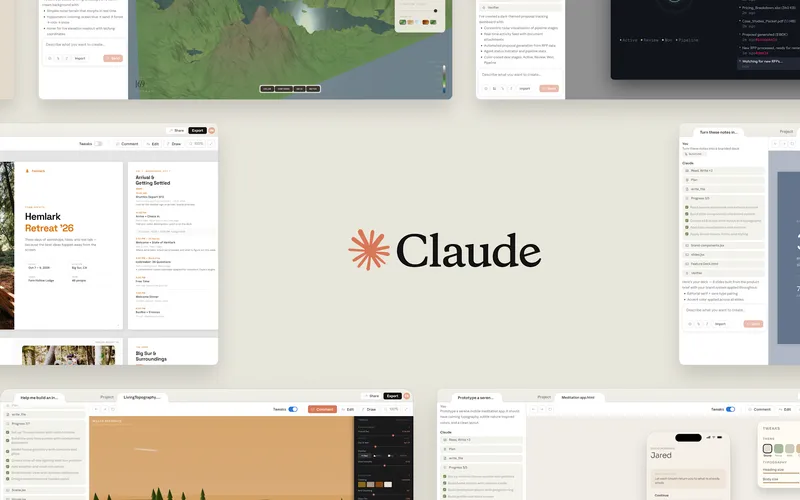
Anthropic just launched a new product called Claude Design, and the short version is this: instead of only chatting with AI, you can now use Claude to make actual visual work.
Not just rough ideas. We’re talking prototypes, slide decks, mockups, one-pagers, social assets, and even export-ready files.
This announcement got strong engagement too (789 likes/points and 528 retweets/comments), which makes sense because it hits a real pain point: most teams have way more ideas than design bandwidth.
What happened
Anthropic released Claude Design through Anthropic Labs in research preview. It’s available to paid Claude users on Pro, Max, Team, and Enterprise plans, with a gradual rollout.
The core pitch is simple: describe what you want, Claude generates a first version, and then you refine it in conversation.
You can tweak specific parts using inline comments, direct edits, and sliders Claude creates for adjustments like spacing, layout, and color. Instead of “start over” every time, you iterate on the same draft.
Claude Design also supports importing from different sources: text prompts, uploaded files like DOCX/PPTX/XLSX, images, and even your own codebase. Anthropic says there’s a web capture tool too, so teams can pull design elements from an existing website.
One of the biggest product details is the design system feature. During onboarding, Claude can read your design files and codebase, then generate a system so future outputs match your brand colors, typography, and components automatically.
When work is ready, you can export to Canva, PDF, PPTX, or standalone HTML. There’s also a handoff bundle that sends the design context into Claude Code, so implementation can happen faster.
Why this matters (beyond the press release)
Most AI launches are either “better chat” or “better code.” This one is about the space between thinking and shipping.
That in-between zone is where teams usually get stuck: the founder has an idea, product has requirements, marketing wants a campaign, engineering asks for specs, and design is overloaded.
Claude Design is trying to compress that whole mess into one workflow where non-designers can produce decent first drafts and designers can spend more time on direction and polish.
Anthropic is basically saying, “Design exploration shouldn’t be limited by calendar time.” For experienced designers, the tool is positioned as a multiplier for trying more directions quickly. For non-designers, it lowers the intimidation barrier from “blank canvas” to “editable starting point.”
That is a big deal for smaller companies. If you don’t have a full design team, you usually choose between shipping ugly stuff fast or waiting too long for quality. Tools like this try to remove that tradeoff.
What this means for regular people
If you run a small business, this could mean building pitch decks, campaign visuals, and product mockups without begging three freelancers to align schedules.
If you work in a regular office role (marketing, ops, product, sales), this could turn “I have an idea” into “I have something visual people can react to” in one meeting, not next week.
If you’re a designer, this probably won’t replace your job, but it will change your job. More of your time may shift from pixel pushing and repetitive production to art direction, quality control, and system-level decisions.
If you’re an engineer, the handoff angle matters. Cleaner visual intent plus an implementation bundle can reduce back-and-forth and cut rework.
And if you’re a student or creator, this lowers the cost of making polished work that used to require either design software expertise or expensive help.
The important caveats
Research preview means this is still early. Expect rough edges, occasional weird outputs, and inconsistency on complex tasks.
Also, “brand-consistent by default” sounds great until your brand assets are messy. AI can only be as clean as the design system and source files it learns from.
There are also workflow risks: teams may produce more visuals faster, but not necessarily better strategy. Pretty prototypes can create false confidence if nobody validates user needs.
And as always, there’s a skills shift. People who can brief AI clearly, critique output, and make good decisions will benefit most. People who treat it as a magic button will get mediocre noise faster.
Big picture
Claude Design is part of a larger trend: AI tools are moving from “answer questions” to “produce work artifacts.”
That matters because artifacts are what organizations actually run on: slides, specs, prototypes, campaigns, and handoffs.
The strategic move here is that Anthropic isn’t just trying to be the smartest chat model. It’s trying to become a workplace production layer that connects ideation, design, and implementation.
If that works, regular people get a practical upgrade: fewer blank pages, faster first drafts, and a shorter path from idea to something you can show, test, and ship.
So the plain-English takeaway is this: Claude Design is not “AI made art.” It’s “AI made workflow glue” for visual work, and that’s why people are paying attention.
Now you know more than 99% of people. — Sara Plaintext